Best AI Document Management System (2026 Guide)
 Updated 13 min
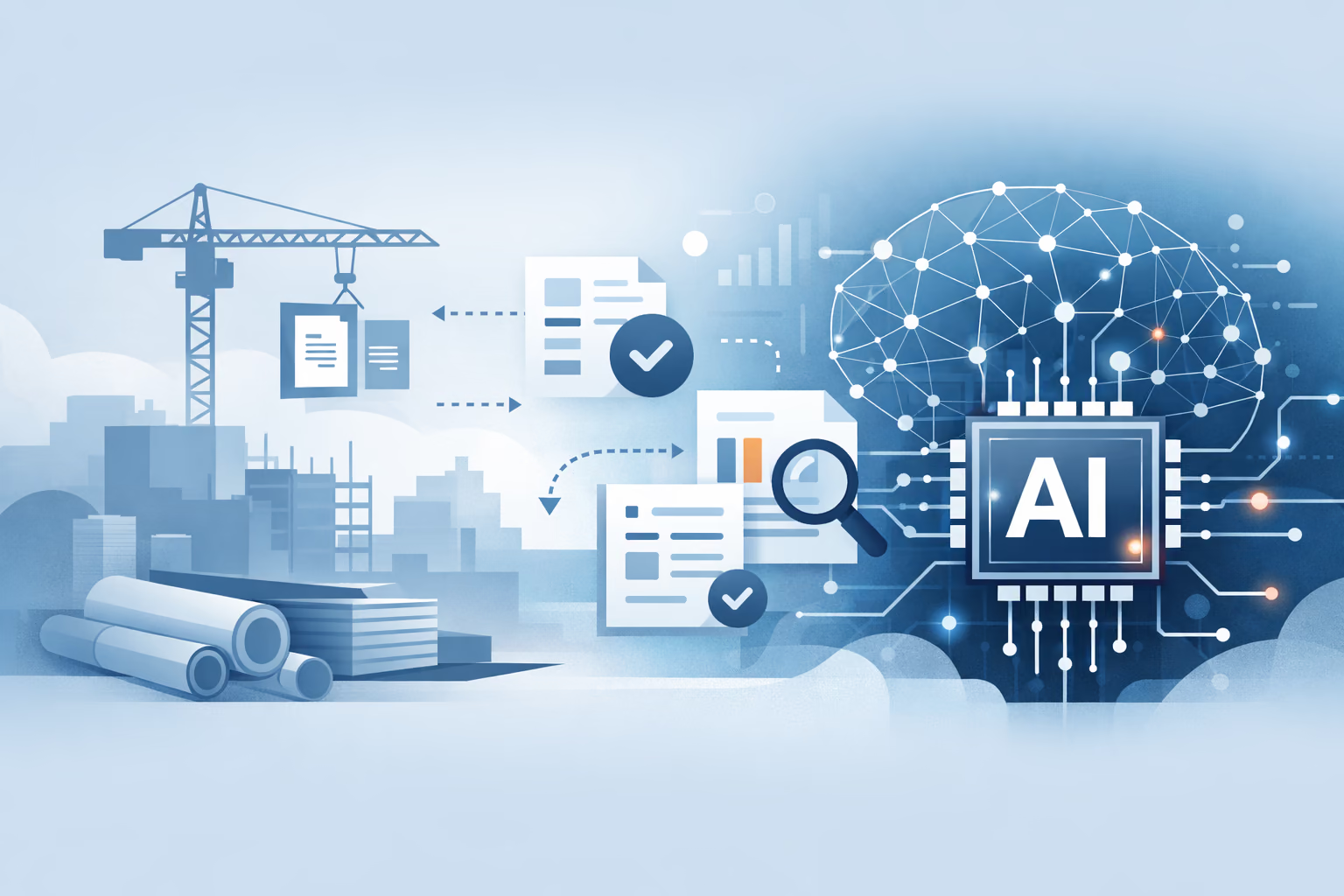
An AI document management system (AI DMS) is document management software that uses machine learning and large language models to read, classify, search, and draft from the documents it stores. The files, permissions, and version history work like any DMS. The AI does the reading: it tags files on upload, finds answers by meaning, cites the page, and drafts RFIs or reports from the source.
Key takeaways
- What the AI does: classification, extraction, semantic search, cited answers, summaries and comparisons, and drafting. Agents chain them and run in the background.
- How to judge it: test on your own documents, require citations, confirm permission-aware answers, and get the no-training policy in writing.
- Best fit by use case: Pelles (AI layer for construction documents), Autodesk Forma and Newforma (version control), Egnyte and Asite (external sharing), Bluebeam and Procore (field markup), LogicalDOC, Laserfiche, and DocuWare (governance and records).
- Layer, don't migrate: the most common pattern is an AI layer on top of existing storage such as SharePoint, Procore, or Autodesk, with no migration project.
- Data use differs: some vendors promise in writing never to train on your files; others train on de-identified customer data. Read the policy before you upload.
| # | Tool | Use case | What the AI does | Best for |
|---|---|---|---|---|
| 1 | Pelles | Intelligence layer for construction documents | Cited answers across drawings and specs, revision compare, drafted RFIs and submittal logs, agents | MEP and specialty trade contractors |
| 2 | Newforma Project Center | Spec and drawing version control | Smart email filing today; an AI assistant and smart search announced | Rigorous transmittal tracking |
| 3 | Autodesk Forma (formerly Autodesk Construction Cloud) | Spec and drawing version control | Sheet data from title blocks, submittal logs from spec books, RFI checks, Autodesk Assistant | Teams on Revit and AutoCAD |
| 4 | Egnyte | External sharing and transmittals | Cited Q&A, AEC classification, spec book analysis | One secure company-wide file system |
| 5 | Asite | External sharing and transmittals | Cited Q&A across the CDE, document-controller agents | ISO 19650 projects |
| 6 | Bluebeam | Field markup and sheet management | Project search and OCR on all plans; change detection and drawing review on Max (preview) | Teams that live in PDFs |
| 7 | Procore | Field markup and sheet management | Agents for cited search, submittal review, and RFI drafting (paid plans) | Teams standardizing on Procore |
| 8 | LogicalDOC | Governance and records | Auto-tagging and classification, semantic search, summaries | On-premises or hybrid records |
| 9 | Laserfiche | Governance and records | Field extraction, cited Q&A, summaries | Public agencies and compliance-heavy enterprises |
| 10 | DocuWare | Governance and records | Intelligent indexing, generative extraction, cited Q&A | Mid-market capture and retention |
AI features change fast. The table reflects what each vendor documented as available in November 2026. Check features and add-on pricing with the vendor before you buy.
What does AI do in a document management system?
AI in a document management system does six jobs that people used to do by hand. The storage underneath is the same; what changes is how much reading, filing, and drafting the software does for you.
- Classification and metadata: The system recognizes a document's type (a drawing, a spec section, an invoice, a submittal) and fills in fields such as project, discipline, and revision on upload.
- Extraction: It reads fields and tables out of PDFs and scans, such as quote line items, title-block data, or the submittal requirements in a spec section.
- Semantic search: A search for "fire-rated duct penetrations" finds the right paragraph even when it uses different words.
- Cited answers: Ask a question across thousands of pages and get an answer with a link to the page and paragraph it came from.
- Summaries and comparisons: It summarizes a long document or lists what changed between two versions.
- Drafting: It writes a new document from the sources, such as an RFI, a submittal log, or a proposal section, in your template.
Agents chain these jobs. An agent can watch for a new addendum, compare it with the previous set, and draft the RFIs it implies, then hand the result to a person to approve.
How to evaluate AI document management features
Judge AI features on your own documents, with citations, permissions, and data use checked before price. Vendor demos use clean PDFs, while real projects bring scanned specs, dense drawing sheets, and addenda that override earlier pages.
- Test on your documents: Load a real project and ask ten questions you already know the answers to. Count how many come back right, with the right page.
- Require citations: Every answer should link to the page or paragraph it came from. An answer you can't check costs more time than it saves.
- Check permissions: The AI should only read documents the person asking is allowed to open.
- Get the data policy in writing: Confirm your documents aren't used to train shared models, which model providers process them, and how long prompts and outputs are kept.
- Check what it can read: Many tools read text well but skip drawings, tables, and scanned pages. Construction sets are mostly the latter.
- Price the AI separately: Some vendors include AI in the base license; others sell it as an add-on or by usage.
If you're comparing platforms on storage, document control, transmittals, and price rather than AI, our roundup of the best construction document management software covers that side, with published prices and pros and cons for each tool.
Intelligence layer for construction documents
An intelligence layer sits on top of your existing document management software and reads the drawings, specs, addenda, and submittals you already store. It turns them into what you need, such as RFIs, proposal language, submittal drafts, and scope checklists, each with a citation to the source page.
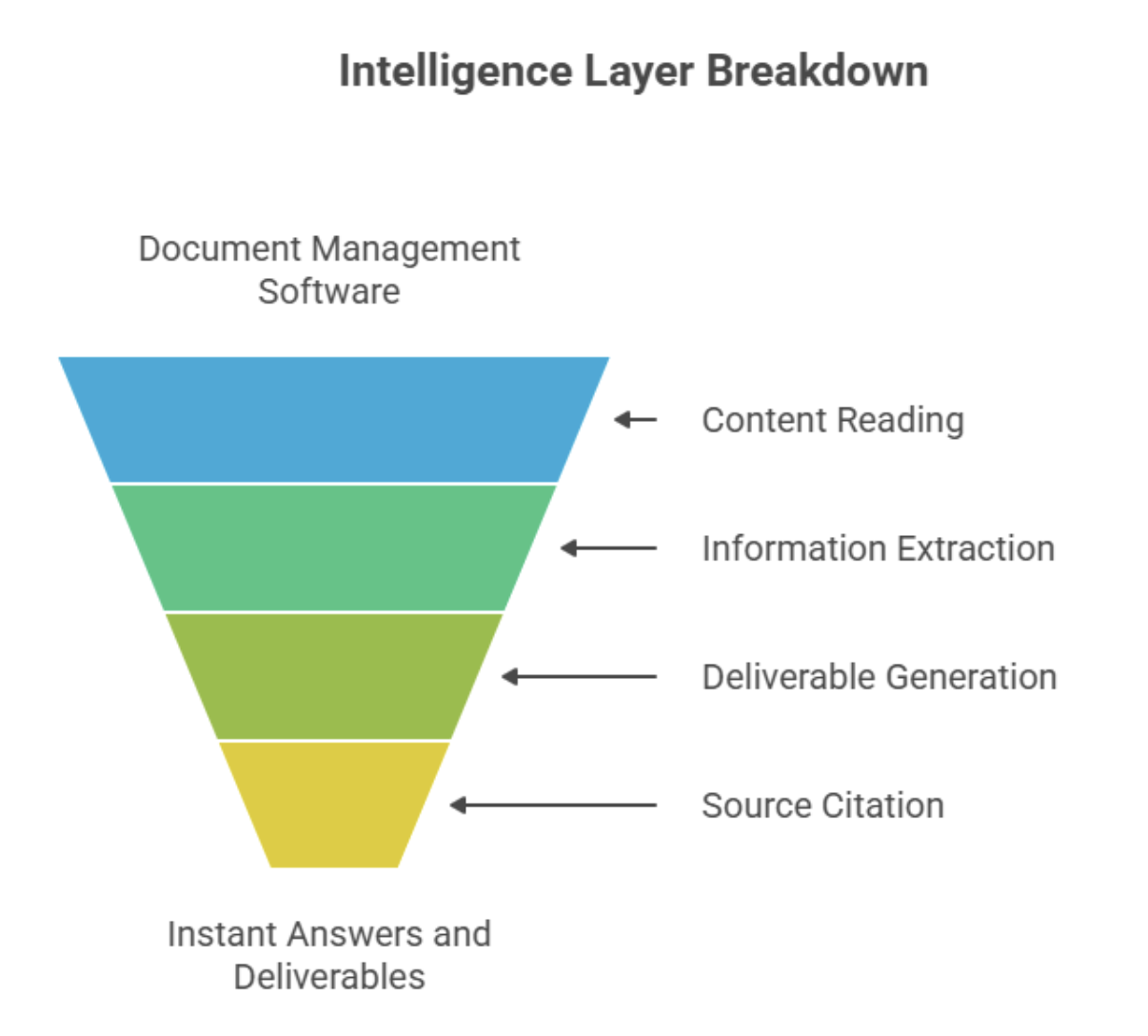
Why teams add one: spec reviews drop from days to minutes on multi-hundred-page sets, contradictions and scope shifts surface the day an addendum drops, and RFIs, proposals, and submittals come out the same quality from every estimator. See how one electrical contractor cut spec review time by 70–80% →
What to look for: clause-level citations back to the contract documents, change summaries by CSI division or discipline with sheet and page references, and a knowledge base built from your past RFIs, proposals, vendor notes, and lessons learned.
1. Pelles
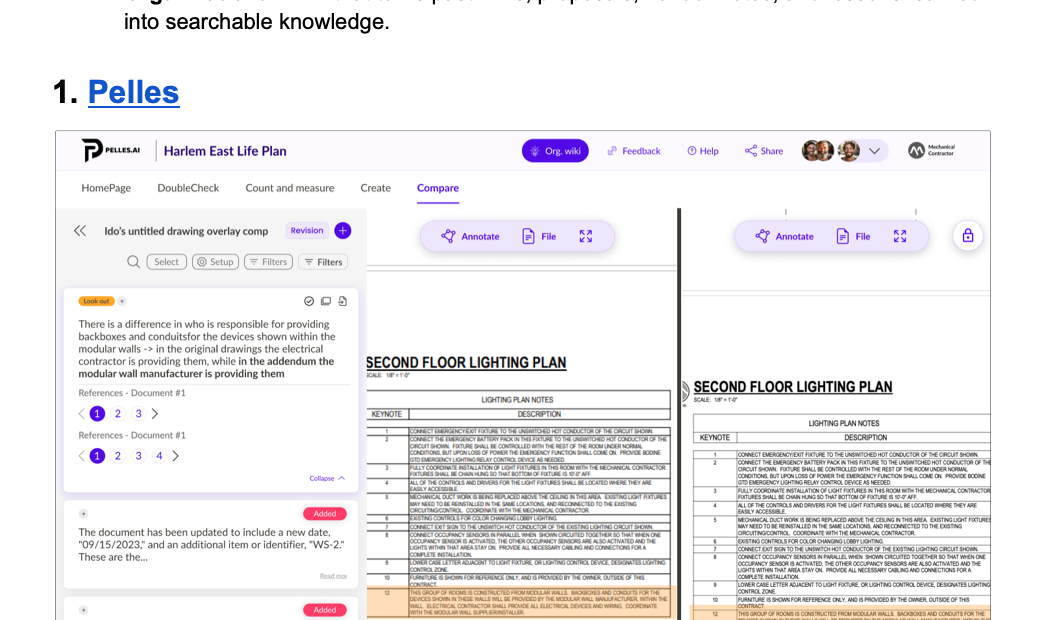
Pelles is an AI platform for MEP and specialty trade contractors that reads construction documents at scale. It sits above your DMS and project management tools and turns static files into cited answers and ready-to-send deliverables.
AI features:
- DoubleCheck: Ask a question across the whole set and get an answer cited to the sheet or spec paragraph.
- Compare: Match sheets across revisions and highlight every change between the bid set and each addendum.
- Reports: Draft pre-bid RFIs, submittal registers, proposals, and change orders in your own templates, with each line checked against the source.
- Agents: Background jobs, such as splitting and renaming every sheet in a 250-drawing set, handed back for approval.
Best for: High-volume estimating, precon, and project teams that need faster reviews and fewer missed changes without adding headcount.
Spec and drawing version control
When addenda land back to back, version confusion is the main risk. Estimators, PMs, and the field need to see the current set and what changed, quickly. AI helps here by reading sheet numbers and revisions from title blocks and by summarizing the changes between versions.
Why it matters: fewer surprises from late addenda and spec clarifications, faster alignment across electrical, mechanical, and plumbing reviews, and cleaner handoffs of the latest sheets to the field.
What to look for: sheet and spec revision histories from Issued for Bid to final, compare and overlay tools that call out changes such as a conductor upsizing, and transmittals that prove who received which set.
2. Newforma Project Center
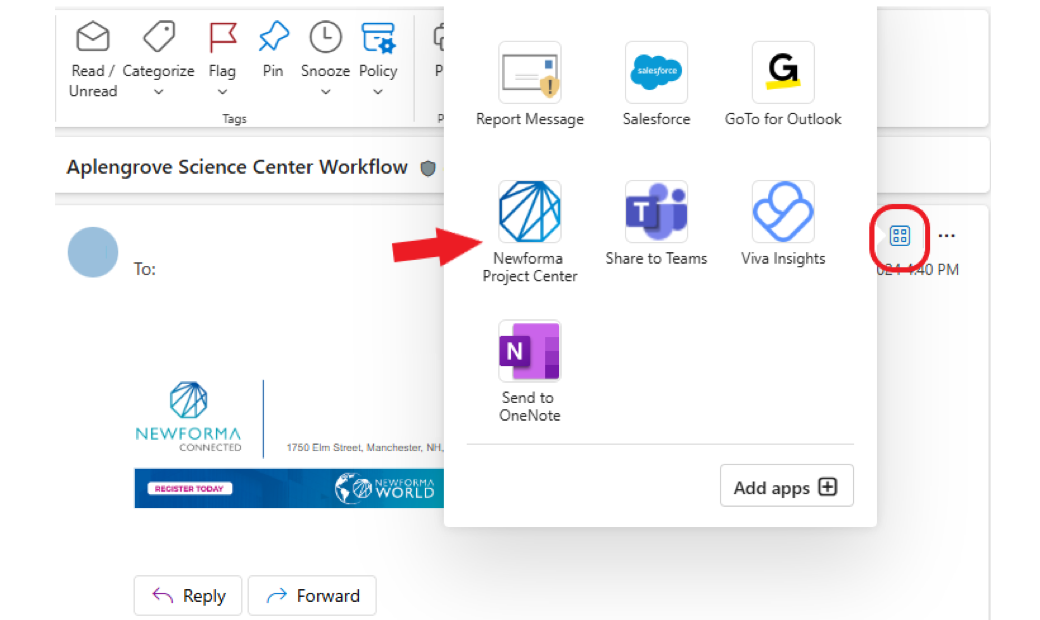
Newforma is built for AEC document control. Its Document Control and Transmittals centers trace each sheet from Issued for Bidding to Issued for Construction, with revision metadata and receipt logs.
AI features: Smart Email Filing suggests where each project email belongs and can file it for you. Newforma announced its Vojo assistant in May 2026 and lists natural-language search and assisted submittal review as coming capabilities, so check what has shipped before you count on it. Newforma states customer information isn't used to train shared models.
Best for: Design teams, GCs, and construction managers who need rigorous transmittal tracking and document lineage on complex projects.
3. Autodesk Forma (formerly Autodesk Construction Cloud)
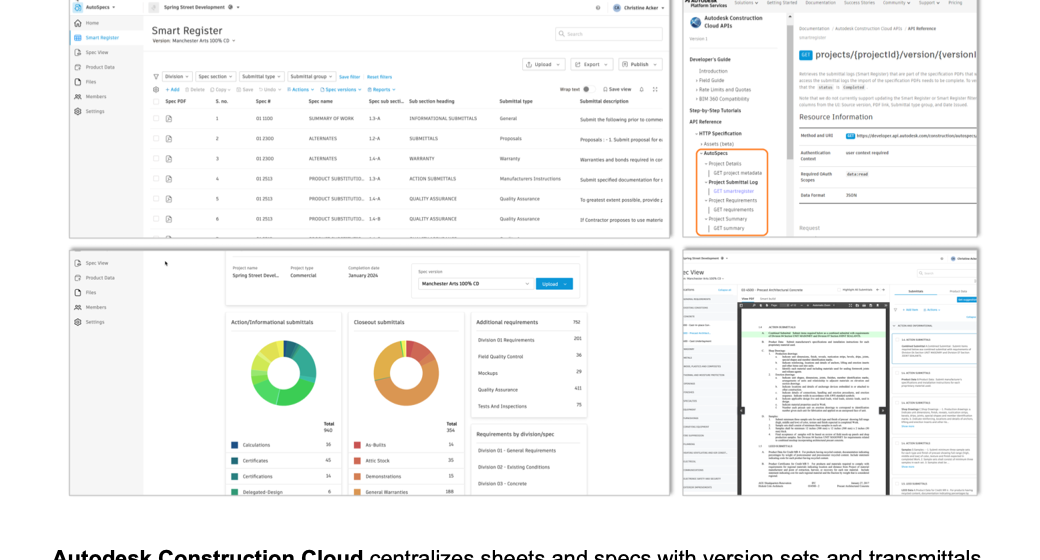
Autodesk Forma is the new name for Autodesk Construction Cloud. Its document layer, Forma Data Management (formerly Autodesk Docs), keeps sheets and specs in version sets with transmittals, so reviewers can spot changes and confirm distribution.
AI features: Automated Drawing Extraction splits multipage PDFs, reads sheet numbers and titles from title blocks, and links sheet callouts to the matching drawings. AutoSpecs drafts a submittal log from a CSI-formatted spec book and flags likely missing items, the Specifications tool splits spec books into sections, and RFI AI checks the specs and closed RFIs before a new RFI goes out. Autodesk Assistant finds and summarizes information across Autodesk products.
Best for: Teams standardizing on Autodesk who want version control tied to Revit, AutoCAD, and Forma Build.
External sharing and transmittals
Vendor packages and owner deliverables need to be controlled, not just sent. Secure distribution and audit trails make sure the right parties see the right files, with proof of receipt and version history.
Why it matters: outside parties see only what they need, links replace oversized attachments and long email threads, and every share leaves a defensible record of who saw what and when.
What to look for: expiring links and watermarks, transmittal logs that record sends, opens, and downloads, and role-based permissions for vendors, designers, owners, and field crews.
4. Egnyte
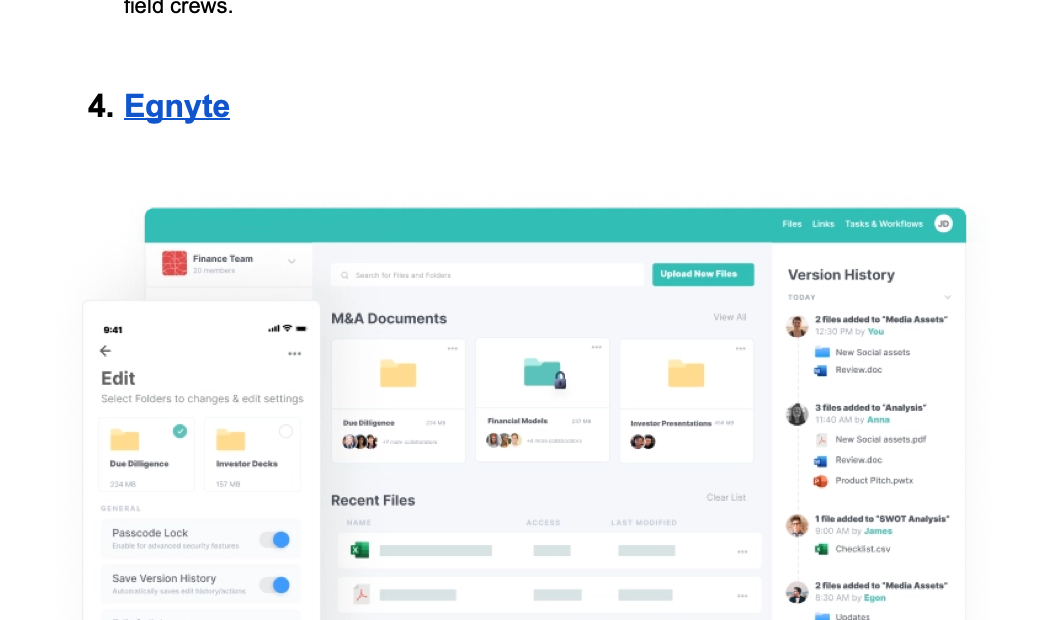
Egnyte gives AEC teams secure external sharing with granular permissions and full auditability. Its AEC tooling handles large files and coordination with vendors and owners while keeping a record of who accessed what.
AI features: AI Assistant answers questions across the files you're allowed to see, with citations, and summarizes and compares documents. For AEC, Egnyte classifies document types and extracts metadata on upload, and Specifications Analyst pulls submittals, products, and warranties from CSI spec books and flags omissions and conflicts. AI Assistant comes with the Elite plan and up; Specifications Analyst is part of the Project Hub add-on. Egnyte states files and prompts are never used to train public or third-party models.
Best for: Contractors that need strict external controls and one company-wide file system across projects.
5. Asite
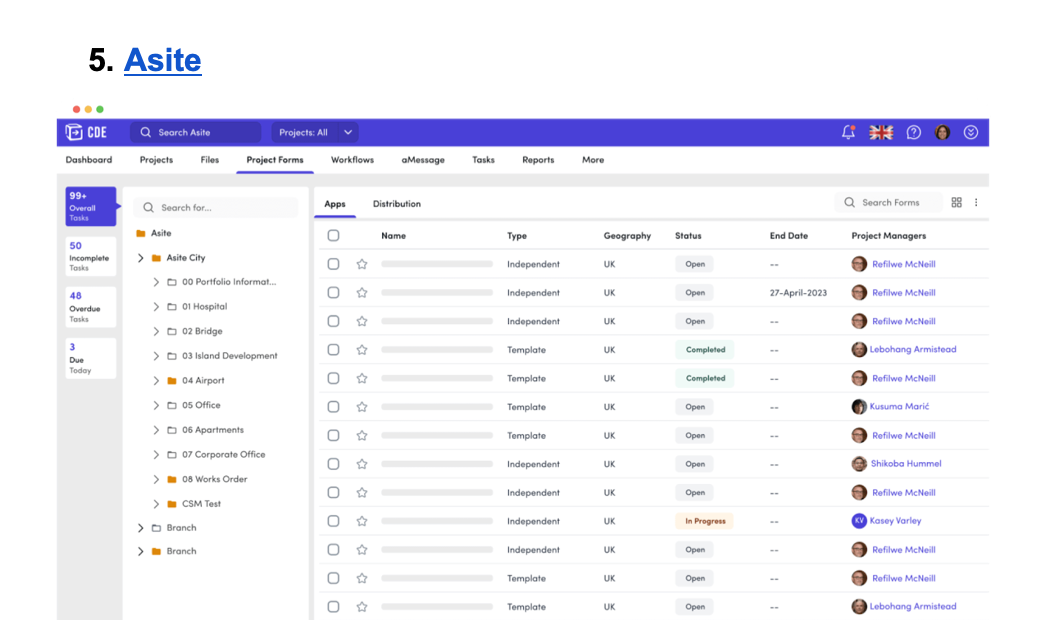
Asite's common data environment is built for controlled distribution. Teams issue transmittals and keep an auditable record of every share, down to version, distribution list, and status, with permissions at the folder and file level.
AI features: DeepDive answers natural-language questions across the documents in the CDE, with each answer traced to its source. Role-based agents, including a Document Controller, check uploads against project templates and requirements. Asite states its agents don't learn from or retain customer project data; it doesn't publish which agents are generally available or what they cost.
Best for: Owners and contractors on a common data environment who need formal transmittals with recipient tracking.
Field markup and sheet management
Field crews need the latest sheets on their device, with offline sync that works when the signal doesn't. Document management software lets them mark up issues on the sheet and push feedback back to the office.
Why it matters: crews build from the current set, punch items are captured on the sheet and closed faster, and redlines reach the office without email.
What to look for: offline caching of full plan sets, markup and issue tracking tied to sheet locations with photos, and quick publishing of new revisions to the right crews.
6. Bluebeam
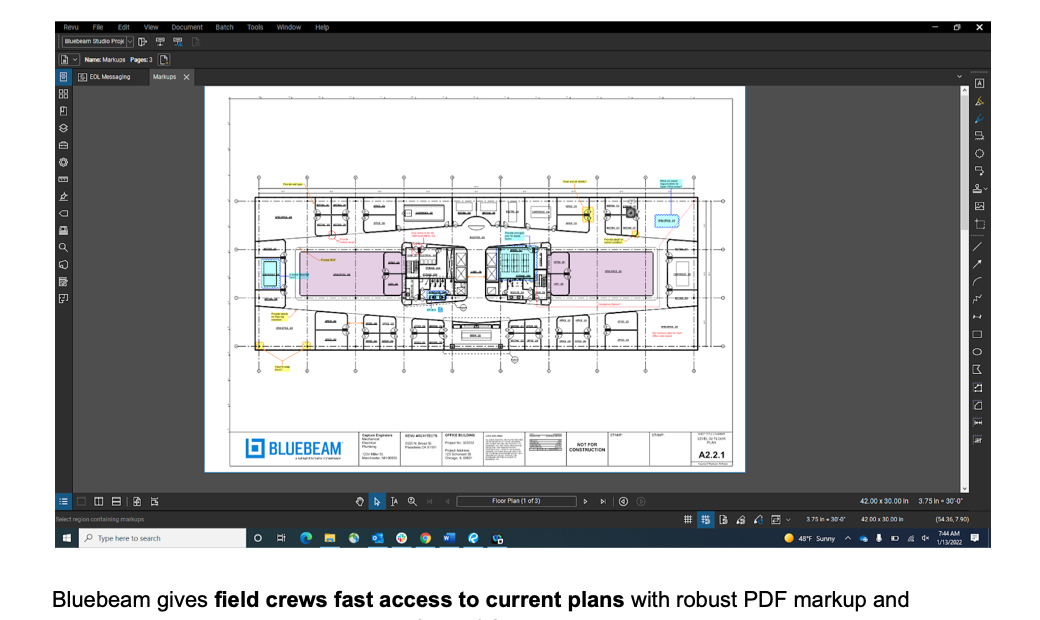
Bluebeam gives crews current plans with strong PDF markup and real-time review. Teams redline on iOS, Android, or the web and sync changes back to the office when they're online.
AI features: All plans include natural-language search across Studio Projects, OCR, and visual search. The Max plan ($590 per user per year at its introductory price) adds Smart Overlay, which detects design changes across drawing sets, and Smart Review, which flags missing sheets, tags, and gridline problems; Bluebeam still labels both as preview. Max can also connect AI assistants such as Claude to your drawings over MCP. Bluebeam's terms allow de-identified training on files used with AI features during trials and betas.
Best for: Subcontractors that live in PDFs and need reliable mobile markup.
7. Procore
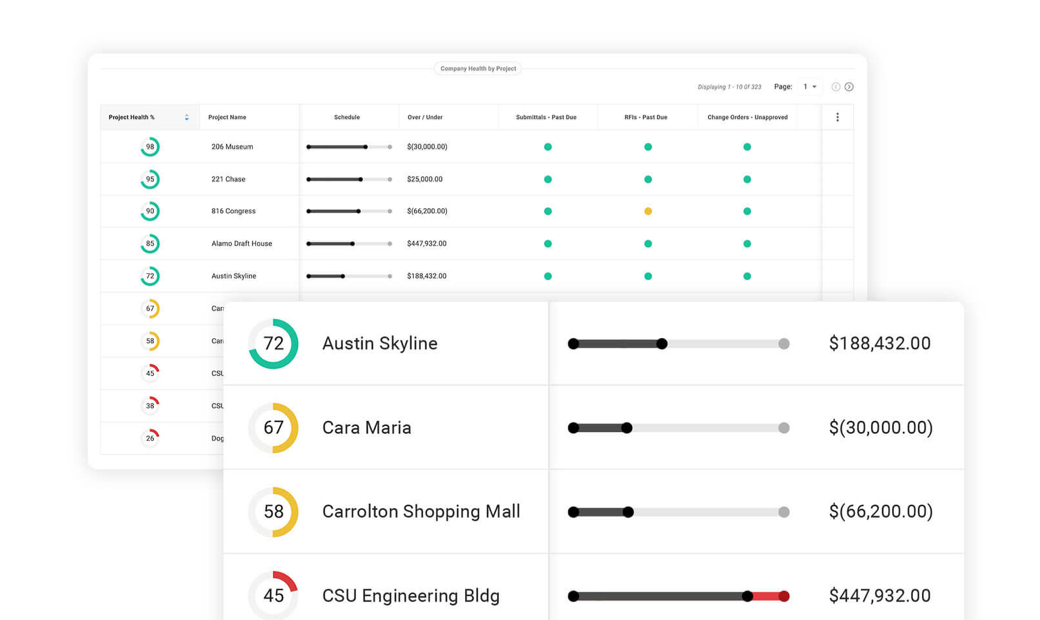
Procore keeps the current drawing set in one place and lets crews mark up sheets on mobile. Published markups are visible to the team, and the mobile apps capture punch items offline.
AI features: Procore's AI agents include Deep Search, which answers questions across specs, drawings, RFIs, and submittals with citations to the source files; Submittal Review, which checks submittals against the specs; and an RFI Agent that drafts RFIs for review. Agents come in paid Digital Coworker plans, priced by package and credits rather than per seat. Procore states your data isn't used to train third-party models such as ChatGPT, Claude, or Gemini.
Best for: Teams standardizing on Procore who want markups and drawing distribution tied to their project controls.
Governance and records
When audits, public records requests, or litigation holds are in play, the DMS has to preserve the record and prove who accessed what. AI helps by classifying documents on capture, so retention rules apply without manual filing.
Why it matters: retention policies apply automatically by document class, records are found and exported with their history during an audit, and manual filing drops.
What to look for: policy-based retention with automated disposition, legal hold and e-discovery export, and an audit trail that can't be edited.
8. LogicalDOC
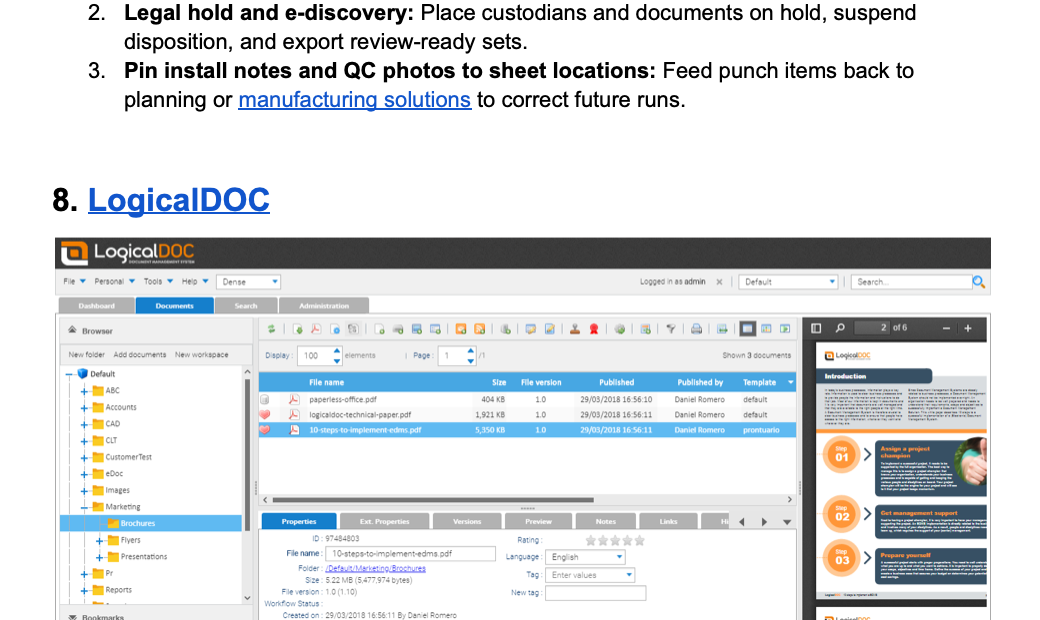
LogicalDOC provides policy-driven records management with a detailed audit history, so you can prove chain of custody and disposition decisions. It runs on-premises or in the cloud.
AI features: Releases 9.2 and 9.3 added Fillers that read a document and fill in its tags and class, embedding-based semantic search, object detection that extracts data from regions of a page, and summaries from a local model or ChatGPT. You can train its classifiers on your own documents.
Best for: Organizations that need an on-premises or hybrid DMS with configurable retention.
9. Laserfiche
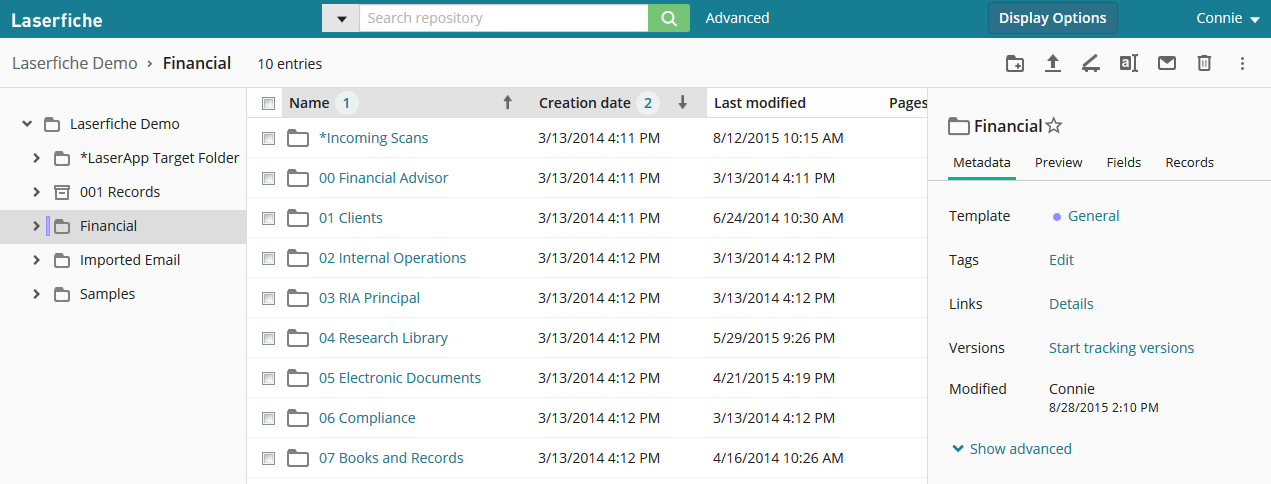
Laserfiche builds in information governance, including e-discovery and legal holds, so you can preserve records, suspend disposition, and export with full audit trails.
AI features: Smart Fields extracts values into metadata fields and classifies tags, and since October 2026 reads checkmarks, signatures, and handwriting. Smart Chat answers questions across documents and folders with links to the documents behind each answer, and Document Summarization condenses one document at a time. Laserfiche states it doesn't use customer data for AI training.
Best for: Public agencies and compliance-heavy enterprises that need legal holds and audit-ready exports.
10. DocuWare
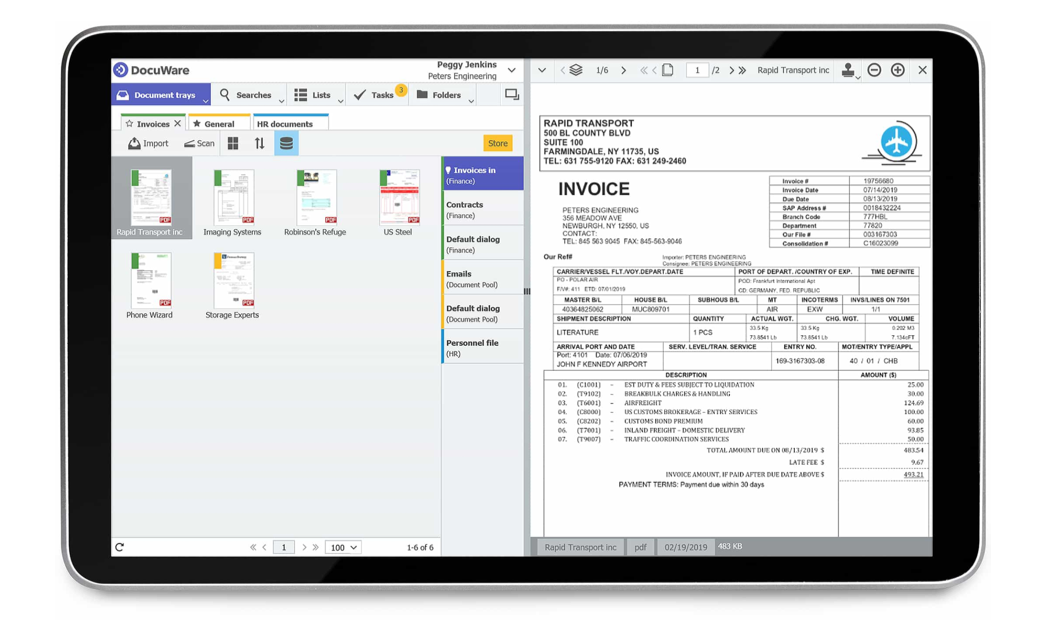
DocuWare focuses on capture, automated retention, and secure archiving. Policies trigger retention and deletion, and audit trails record every access and change.
AI features: Intelligent Indexing reads and classifies documents before filing and learns from user corrections, and its document processing adds generative-AI extraction. The Aura assistant, released to DocuWare Cloud customers in September 2026, answers questions with references to the original documents. DocuWare says validated corrections feed its model training after anonymization.
Best for: Mid-market teams that need cloud records retention and automated capture of invoices and forms.
Pick the AI by the job, keep the DMS you trust
Choose your document management software for the job you need done, whether that's version control on addenda-heavy projects or records retention when audits and legal holds are on the table. Then judge the AI on your own documents: cited answers, permission-aware search, and a written no-training policy.
Pelles is the AI layer for construction documents. It works on top of your DMS, finds every requirement for your scope with DoubleCheck, catches what changed between revisions with Compare, and drafts RFIs, submittal logs, and proposals with Reports, each line linked to its source.
Ready to see how Pelles works with your projects? Book a call, and we'll walk your team through a focused pilot.
Frequently asked questions
What is an AI document management system?
An AI document management system (AI DMS) is document management software that uses machine learning and large language models to do work people used to do by hand: classifying and tagging files, reading fields out of scans, finding documents by meaning rather than file name, answering questions about their contents with citations, and drafting new documents from them. The storage, permissions, and version control are the same as a traditional DMS; the AI reads what's stored.
What does AI actually do in document management?
Six jobs: it classifies documents and fills in metadata on upload; extracts fields and tables from scans and PDFs; searches by meaning, so a question finds the right paragraph without the exact words; answers questions with a citation to the page; summarizes and compares versions; and drafts new documents, such as an RFI or a submittal log, from the source files. Agents chain these jobs and run them in the background.
How do you evaluate AI features in a document management system?
Test the AI on your own documents, not the vendor's demo files. Check that every answer cites the page it came from, that the AI only reads documents the user is allowed to see, and that the vendor states in writing that your data isn't used to train its models. Then check whether the AI reads drawings and tables or only plain text, and whether AI features cost extra on top of the base license.
What is the best AI document management software in 2026?
It depends on the job. For construction teams that need an AI layer that reads specs and drawings and drafts deliverables, Pelles is built for MEP and specialty trade contractors. For version control with AI that reads title blocks and spec books, Autodesk Forma (formerly Autodesk Construction Cloud) leads. For records and governance with AI capture and cited answers, Laserfiche and DocuWare are strong. For secure company-wide storage with a cited AI assistant, Egnyte fits.
Does AI document management software train on my data?
It depends on the vendor, so get the answer in writing. Egnyte, Asite, Laserfiche, Newforma, and Fieldwire publish statements that customer data isn't used to train shared or third-party models, and Procore's covers third-party models. Autodesk (for some features), DocuWare, and Bluebeam (during trials and betas) say de-identified customer data can feed their own models. Also ask which model providers process your data and how long prompts are kept.
How is AI document management different for construction?
Construction documents reference each other: a spec section governs several drawings, submittal requirements are spread across hundreds of pages, and an addendum quietly changes an earlier requirement. Generic AI tools treat each file on its own. Construction AI document management reads sheets and spec sections as linked records, tracks how a change in one affects the others, and cites sheet and paragraph numbers in its answers.
Can small teams use AI document management?
Yes. AI document platforms are subscription-based and usually work on top of storage a small team already has, such as SharePoint, Dropbox, or Procore, with no migration or IT project. Small teams often see the highest return because they have no dedicated document control staff, so automated extraction, search, and submittal logs absorb work that would otherwise be skipped or done late.